My lists
ComplianceCoach can create and save an unlimited number of user-defined lists. By default, the My lists section is empty.
You can save lists in two ways: filtered lists and patient lists.
To Save filters as a list:
Select your preferred sorting criteria in the filter panel.
At the bottom of the panel, click Save.
In the dialog that appears, enter a name for your list.
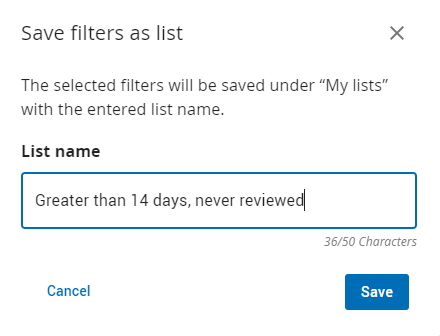
Click Save.
Click Apply.
Note: With release 2.5.0, new lists now append to the top of the My lists section.
To save a patient list:
Select the required sorting criteria.

Click Save filters.
In the dialog that appears, enter a name for your list.
Click Save.
This list is added to the end of the My lists section.
Watch the video: My Lists: Create customized work lists
These lists are only associated with your ComplianceCoach profile. If you want to share lists with colleagues, you can share the choices you made to design your lists with your colleagues, or share the webpage URL.