Set a follow-up reminder
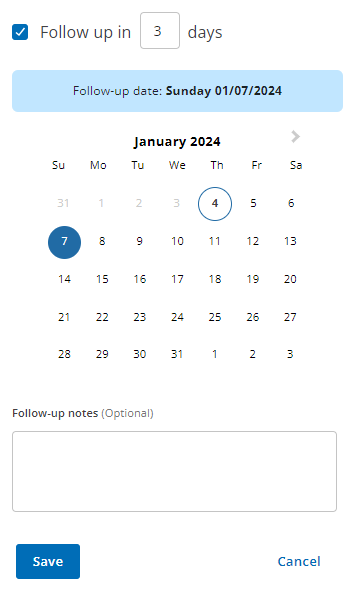
From the Mark as tab, choose one option to set a follow-up for a patient:
Contact the patient after a set number of days.
Pick a date from the calendar view.
In the Follow-up notes section, you can enter the reason for contacting the patient.
Click Save.
If a follow-up is already set for a patient, you can replace it or add a new one.
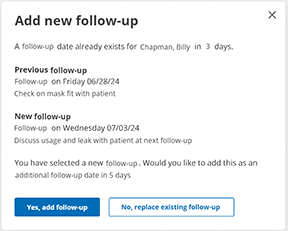
Note: If you select No, replace existing follow-up, only the most recent follow-up is overwritten.
Watch the video: Create Notes and Follow-up reminders.
Note
ComplianceCoach follows patients during their first 90 days of therapy, so users cannot set follow-up reminders beyond a patient's 90th therapy day.